---
name: "Preview and approve coding-agent execution plans with Overture"
slug: "preview-and-approve-coding-agent-execution-plans-with-overture"
description: "Render an AI coding agent's plan as an interactive flowchart so a human can inspect dependencies, attach context, choose branches, and approve execution before code changes begin."
github_stars: 619
verification: "security_reviewed"
source: "https://github.com/SixHq/Overture"
author: "SixHq"
publisher_type: "organization"
category: "Developer Tools"
framework: "MCP"
tool_ecosystem:
github_repo: "SixHq/Overture"
github_stars: 619
npm_package: "overture-mcp"
npm_weekly_downloads: 320
---
# Preview and approve coding-agent execution plans with Overture
Render an AI coding agent's plan as an interactive flowchart so a human can inspect dependencies, attach context, choose branches, and approve execution before code changes begin.
## Prerequisites
Node.js, npx or npm, an MCP-compatible coding agent such as Claude Code, Cursor, Cline, Copilot, or Windsurf
## Installation
Requirements and caveats from upstream:
- Browse & attach tools per node
- ### Node Details Panel
- 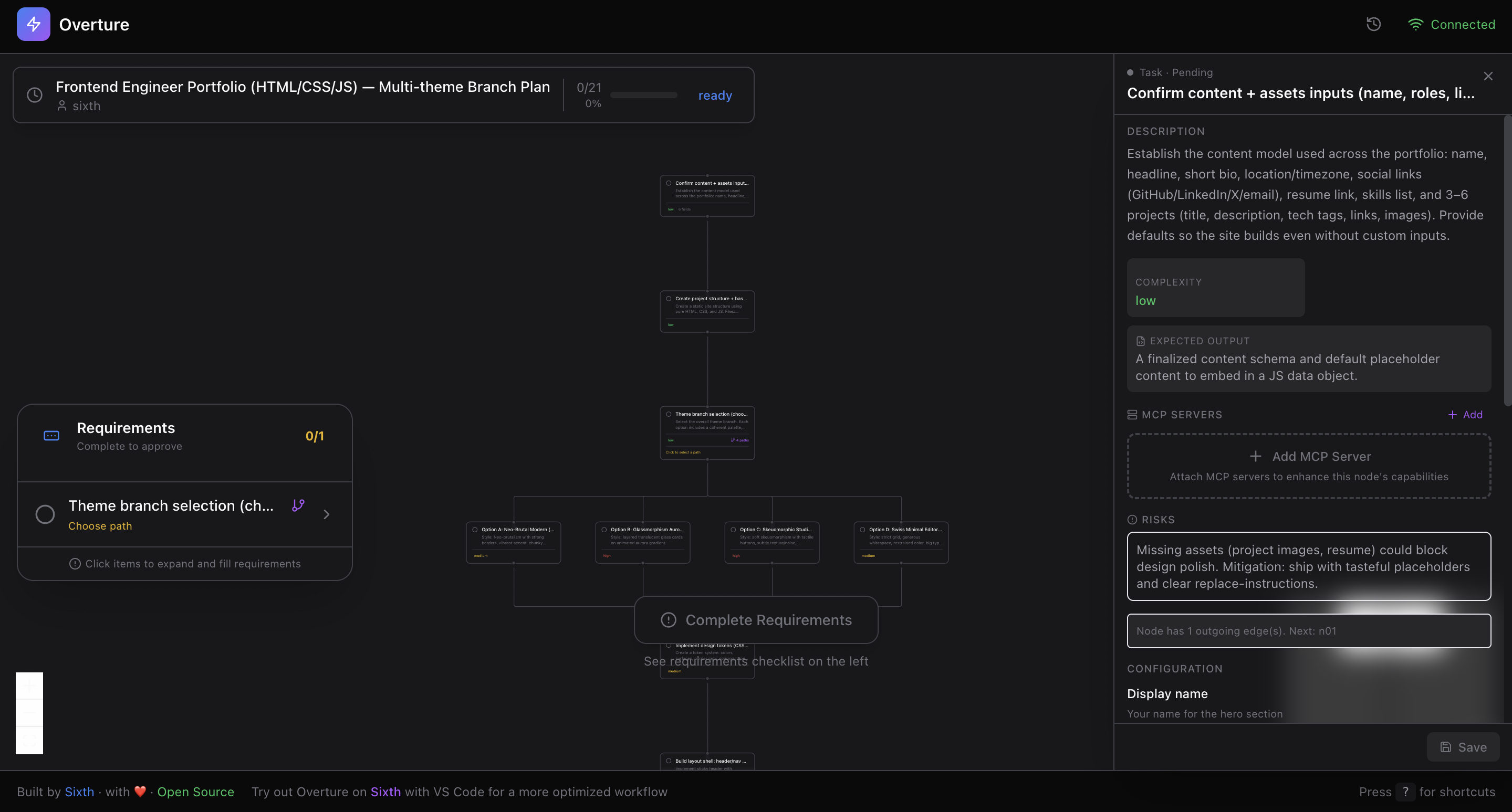 Basic usage or getting-started notes:
- | **7. Control** | Pause (Spacebar), resume, re-run nodes, or modify the plan mid-flight |
- **Safety** — Pause, resume, or re-run at any time
- Source: https://github.com/SixHq/Overture
- Extracted from upstream docs: https://raw.githubusercontent.com/SixHq/Overture/HEAD/README.md
## Documentation
- https://github.com/SixHq/Overture
## Source
- [Agent Skill Exchange](https://agentskillexchange.com/skills/preview-and-approve-coding-agent-execution-plans-with-overture/)
Basic usage or getting-started notes:
- | **7. Control** | Pause (Spacebar), resume, re-run nodes, or modify the plan mid-flight |
- **Safety** — Pause, resume, or re-run at any time
- Source: https://github.com/SixHq/Overture
- Extracted from upstream docs: https://raw.githubusercontent.com/SixHq/Overture/HEAD/README.md
## Documentation
- https://github.com/SixHq/Overture
## Source
- [Agent Skill Exchange](https://agentskillexchange.com/skills/preview-and-approve-coding-agent-execution-plans-with-overture/)